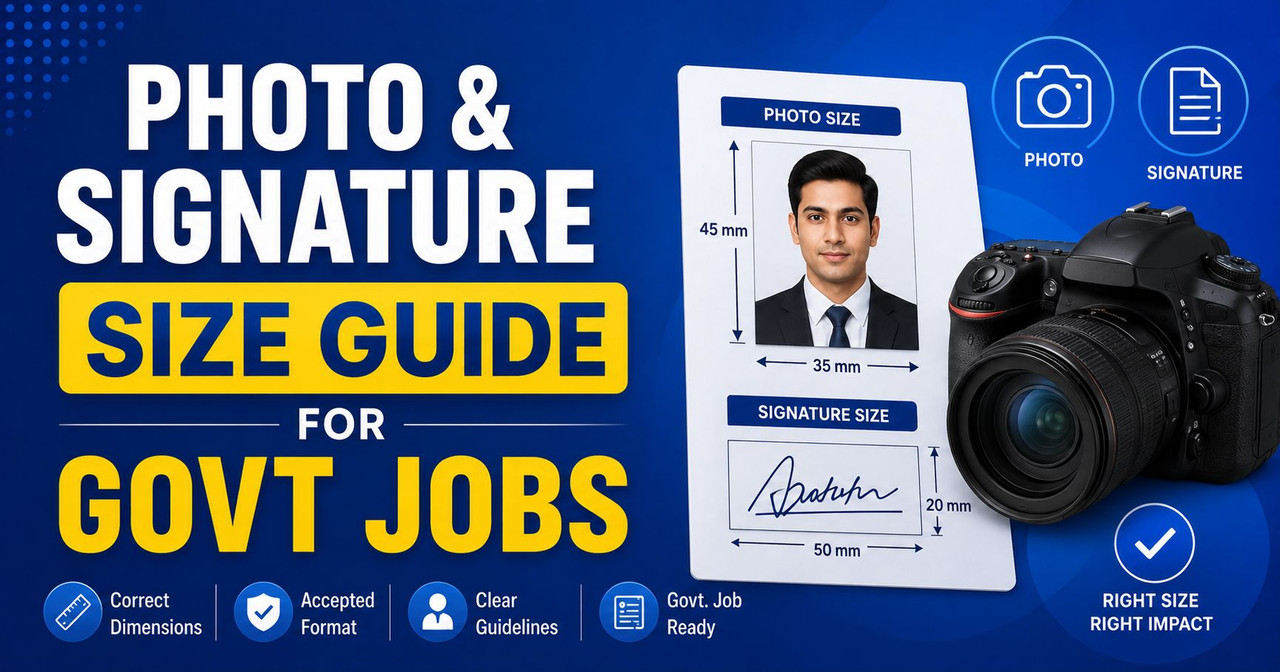
Photo & Signature Size for Government Job Forms — Never Get Rejected
One of the most common reasons government job applications get rejected is incorrect photo or signature specifications. Every exam authority has different size, format, and file size requirements — and uploading the wrong dimensions means your form won't be accepted.
This guide covers the exact photo and signature specifications for 20+ major government exams, plus a free tool to resize instantly.
Free Photo & Signature Resizer Tool
Before diving into the specifications, bookmark this tool — it handles everything automatically:
Photo & Signature Resizer Tool →
Features: Upload or capture from webcam, AI-powered background change (white/blue/red), preset sizes for all major exams, compress to exact KB, and download instantly. 100% free, works in your browser, nothing uploaded to any server.
Exam-Wise Photo & Signature Requirements
SSC Exams (CGL, CHSL, MTS, GD, Stenographer)
Photo: 3.5 cm × 4.5 cm (100 × 120 pixels), JPEG format, file size 20-50 KB. Recent passport-size photograph with white background, without cap or dark glasses. Name and date of photograph should be printed on the photo.
Signature: 3 cm × 1.5 cm (approximately), JPEG format, file size 10-20 KB. Sign on white paper with black ink pen. Do not use capital letters.
UPSC Exams (CSE, CDS, NDA, CAPF)
Photo: 3 cm × 3.5 cm, JPEG format, 40-300 KB. Taken within the last one month. Plain white or light-colored background. Without cap, glasses acceptable only if worn regularly.
Signature: 10 cm × 3 cm, JPEG format, 40-300 KB. Sign on white paper with black ink.
Railway RRB Exams (NTPC, ALP, Group D, Technician)
Photo: 3.5 cm × 4.5 cm (640 × 800 pixels minimum), JPEG format, 50-100 KB. Plain white background. Face should occupy 50-60% of the photograph. Left ear must be visible.
Signature: 3.5 cm × 1.5 cm (240 × 100 pixels minimum), JPEG format, 30-60 KB. Use black or dark blue ink on white paper.
IBPS & Bank Exams (PO, Clerk, SO, RRB)
Photo: 4.5 cm × 3.5 cm (531 × 413 pixels), JPEG format, 20-50 KB. Face should cover 60-70% of the photo. Plain white/off-white background.
Signature: 3 cm × 2 cm (354 × 236 pixels), JPEG format, 10-20 KB. Sign with black ink pen on white paper.
Left Thumb Impression: 3 cm × 2 cm, 10-20 KB. Use blue/black stamp pad on white paper.
Hand-Written Declaration: As specified by IBPS — write the given text in English on white paper, scan and upload.
CTET & Teaching Exams (KVS, NVS, DSSSB)
Photo: 3.5 cm × 4.5 cm, JPEG format, 10-100 KB. White background, ears visible, no cap.
Signature: 3.5 cm × 1.5 cm, JPEG format, 4-30 KB. Black ink on white paper.
Defence Exams (Army, Navy, Air Force)
Photo: 3.5 cm × 4.5 cm, JPEG format, 10-200 KB. White background. If in uniform, rank badges should not be visible.
Signature: 3.5 cm × 1.5 cm, JPEG format, 10-50 KB.
State PSC Exams (UPPSC, BPSC, RPSC, MPPSC, KPSC)
Requirements vary by state but generally: Photo 3.5 cm × 4.5 cm, 20-100 KB, JPEG. Signature 3 cm × 1.5 cm, 10-30 KB. Always check the specific notification for exact requirements.
Common Photo Guidelines (All Exams)
Follow these rules to avoid rejection:
Background — Always use a plain white, off-white, or light blue background. Our Photo Resizer has AI-powered background change — take a photo anywhere and change the background to white or blue instantly.
Face Coverage — Your face should occupy 60-70% of the photo frame. Head, shoulders, and upper chest should be visible.
Expression — Neutral expression with mouth closed. Both eyes open and clearly visible.
Dress — Formal or semi-formal. No cap, hat, or dark sunglasses. Religious headgear is permitted if worn daily.
Recency — Photo should be taken within the last 3-6 months. Some exams like UPSC specify "within the last one month."
Quality — Sharp, properly lit, not blurry. Avoid selfies with harsh shadows. Natural daylight works best.
Common Signature Guidelines
Ink — Use a black or dark blue ball-point pen. Never use gel pens, pencils, or markers.
Paper — Sign on a clean white sheet. No lines, no ruled paper.
Consistency — Your signature should match what you'll sign on the exam hall attendance sheet and OMR sheet. Practice a consistent signature.
Style — Can be in English or Hindi (your preferred language). Don't use all capital letters. Keep it readable.
How to Resize Photo & Signature (Step by Step)
Step 1: Go to Photo & Signature Resizer
Step 2: Upload your photo or click "Take Photo" to use your webcam
Step 3: Select the exam preset (SSC, UPSC, Railway, IBPS, etc.) — it automatically sets the correct dimensions
Step 4: If needed, use "Background Tools" to change your background to white or blue using AI
Step 5: Set the maximum file size (20 KB, 50 KB, etc. as required by the exam)
Step 6: Click "Resize & Compress" and download your perfectly sized photo
Step 7: Switch to the "Signature" tab and repeat for your signature
The entire process takes less than 30 seconds and everything happens in your browser — no data is uploaded to any server.
Frequently Made Mistakes
Using a mobile selfie directly — Selfies are usually too large (3-5 MB) and have the wrong aspect ratio. Always resize using a proper tool before uploading.
Wrong file format — Most exams require JPEG (.jpg). If your photo is in PNG format, convert it to JPEG using the format option in our Photo Resizer.
File too large — A 5 MB photo will be rejected by every exam portal. Government forms typically accept 20-100 KB maximum.
Signature on lined paper — Always use a blank white sheet. Lines in the background can cause rejection.
Blurry or dark photo — Take the photo in natural daylight facing a window. Avoid flash photography which creates harsh shadows.
Useful Tools
- Photo & Signature Resizer — AI background + webcam + all exam presets
- Age Eligibility Calculator — Check if you qualify
- Cut-off Marks Calculator — Estimate your score
- Typing Speed Test — Practice for SSC CHSL & Court exams
Final Tip
Prepare your photo and signature files before the application window opens. When a major notification drops (like SSC CGL or IBPS PO), the exam portal gets extremely heavy traffic and often crashes. Having your photo and signature ready in the correct format saves time and frustration.

Leave a Reply
Be the first to comment.